A physical emergency stop for autonomous trading bots. When algorithms go rogue during a flash crash, bypass software freezes and liquidate all positions instantly over WiFi.
Pressing the button triggers a Webhook via WiFi directly to the Trade-Lab Flask server, bypassing the core logic loop to execute a market-order liquidation.
The physical toggle switch is thrown. The ESP32 immediately detects the state change via a hardware interrupt on GPIO 4, bypassing any software-level loops or delays.
The ESP32 instantly updates the local SSD1306 OLED display to KILLED, transitions the RGB LED to solid red, and triggers the active buzzer for auditory confirmation.
The ESP32 constructs an HTTP POST request containing a secure X-Kill-Token header. It fires this payload over WiFi directly to the Trade-Lab server endpoints (Azure VM & Local Mac).
The Python Flask server intercepts the webhook, verifies the secure token, and immediately pauses all algorithmic trading loops to prevent further autonomous decisions.
The backend cancels all pending limit orders and fires emergency Market Sell orders to the broker exchange, liquidating all open positions and securing the portfolio within milliseconds.
Want to build your own physical fail-safe? Here is the complete component list and wiring guide.
| Component | ESP32 Pin |
|---|---|
| Kill Switch | GPIO 4 |
| LED Red (220Ω) | GPIO 15 |
| LED Green (220Ω) | GPIO 16 |
| LED Blue (220Ω) | GPIO 17 |
| Buzzer (+) | GPIO 18 |
| OLED SDA | GPIO 21 |
| OLED SCL | GPIO 22 |
All the C++ code required to flash the ESP32, handle the physical debouncing, and authorize the webhooks is fully open-source. (Requires the Adafruit_SSD1306 and HTTPClient Arduino libraries). Grab the latest .ino file and secrets.h template directly from the repository.
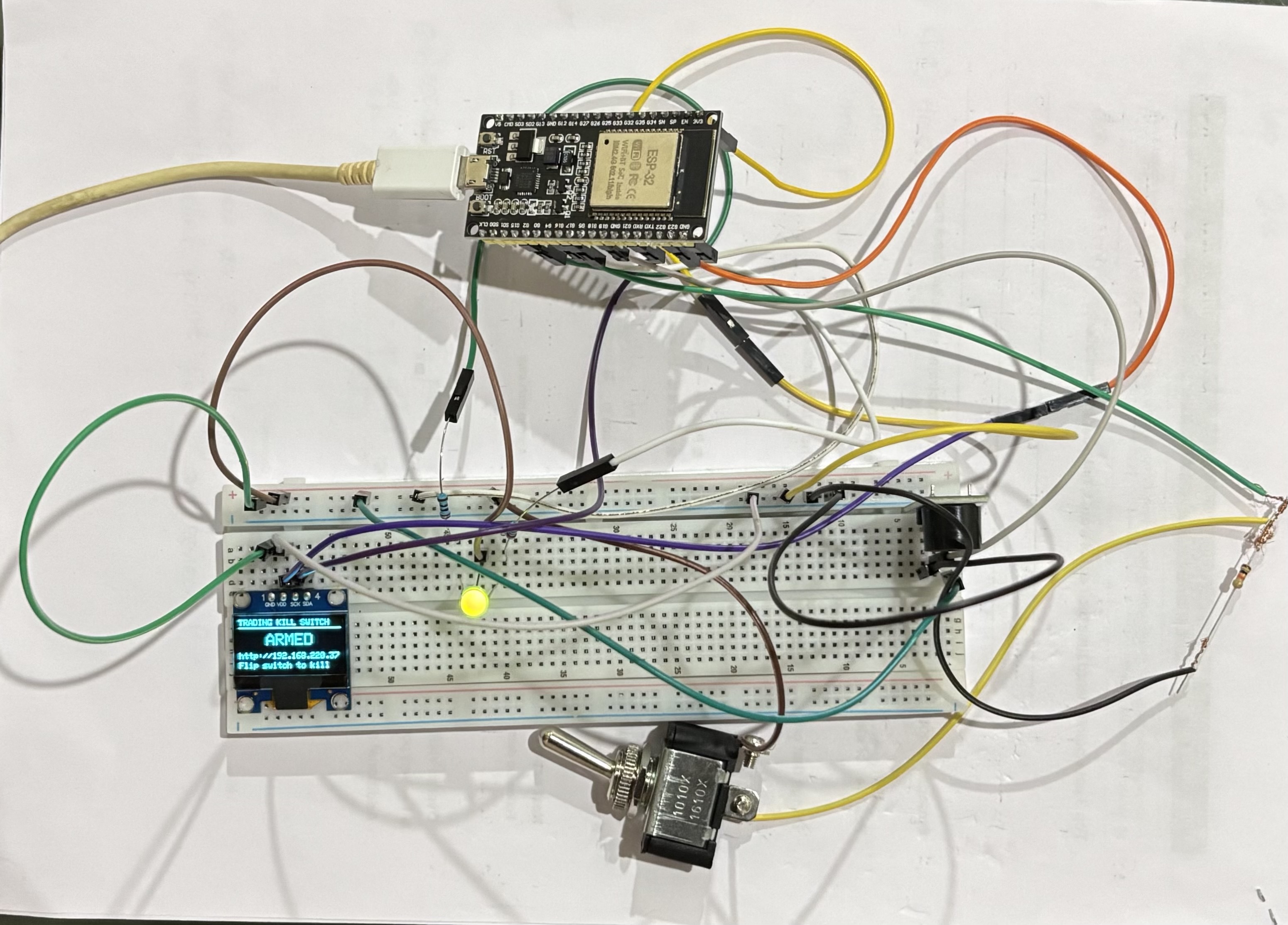
A 38-pin ESP-WROOM-32 dev board handles WiFi connectivity, physical button debouncing, and cryptographic webhook signing.
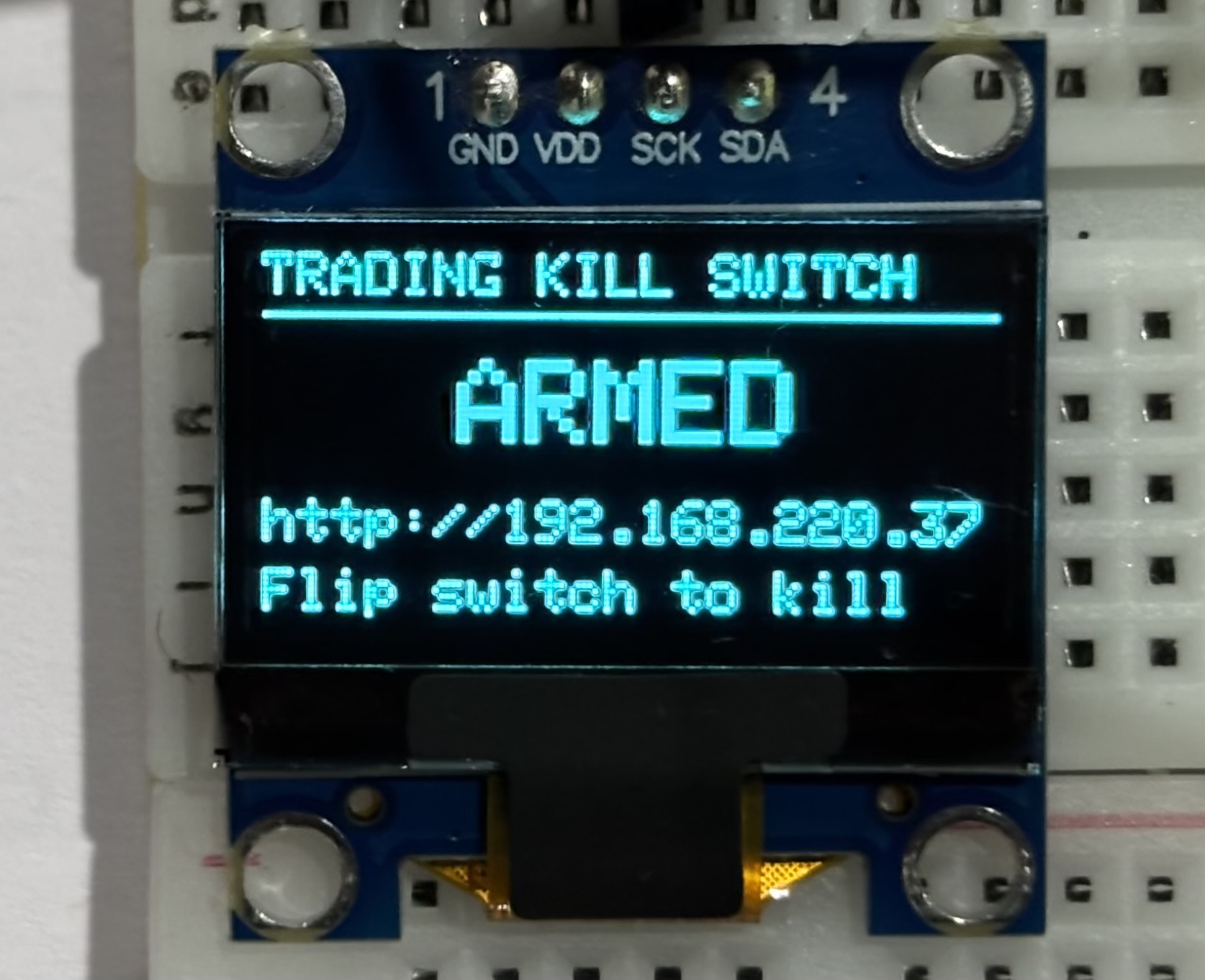
A 0.96" SSD1306 OLED provides real-time feedback on connection status and arm state.
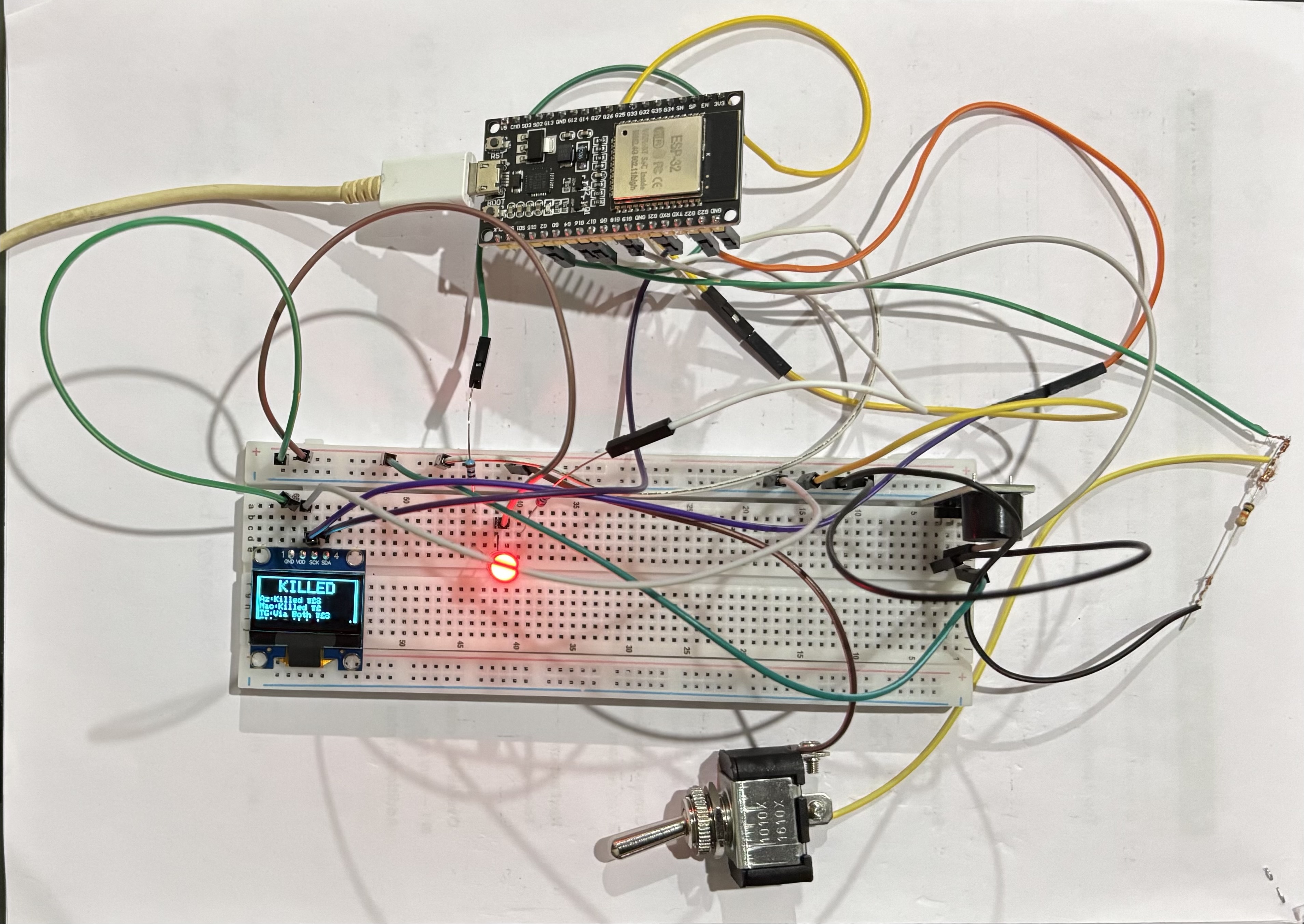
RGB LED transitions from blue (armed) to yellow (processing) to red (killed), backed by an active buzzer.
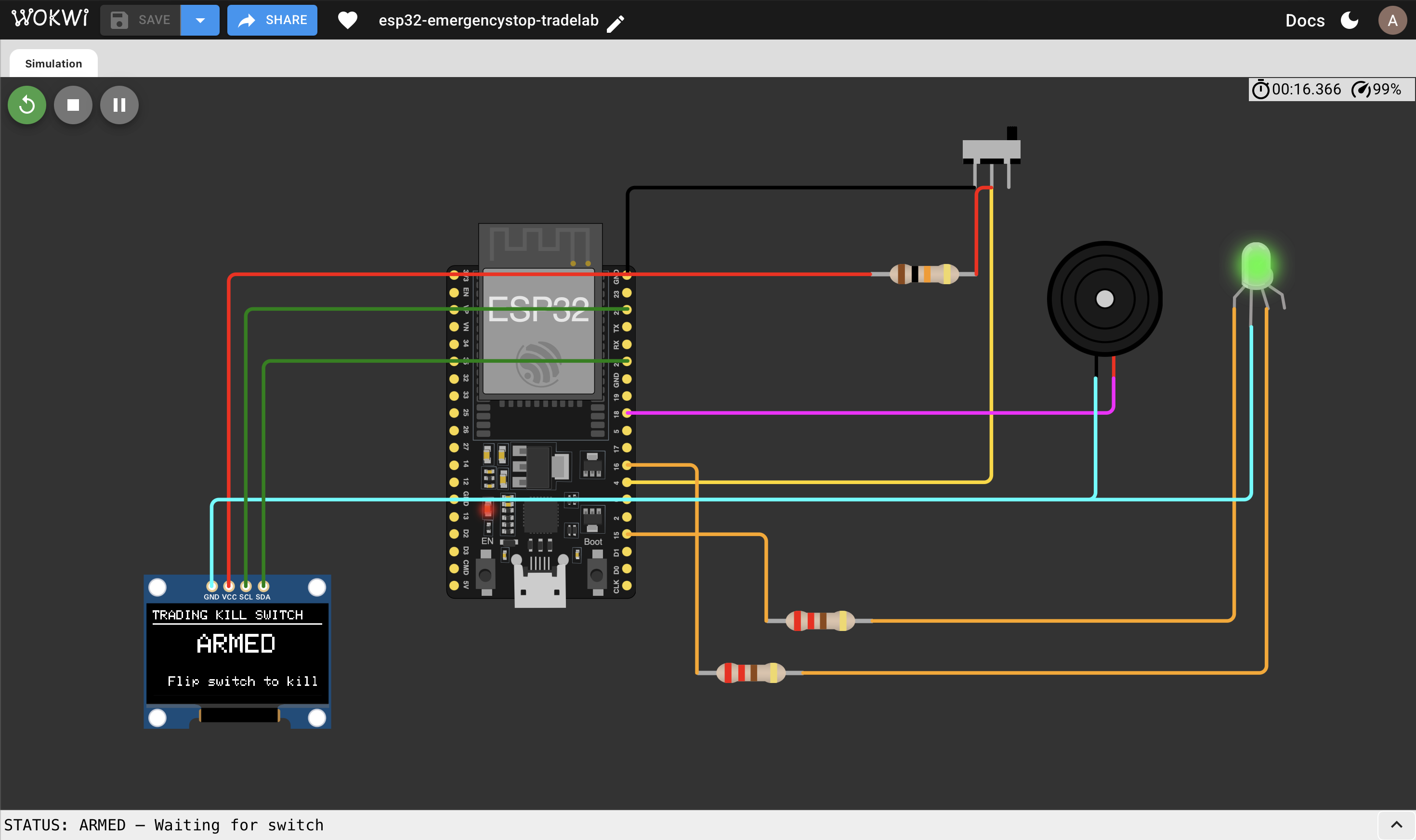
Before soldering components or buying hardware, you can test the firmware, verify the GPIO pin mapping, and trigger the webhook virtually using our Wokwi simulation.
When the ESP32 fires the webhook, the Trade-Lab Python server takes over. It validates the cryptographic X-Kill-Token to prevent unauthorized spam, halts algorithmic loops, and triggers an emergency liquidation of all open paper-trading positions.
# ── Kill endpoint — ESP32 calls this on button press @app.route('/kill', methods=['POST']) def kill(): # ── Auth check ─────────────────────────────────────── token = request.headers.get('X-Kill-Token', '') if KILL_SECRET and token != KILL_SECRET: logging.warning("🚫 Unauthorized /kill attempt") return jsonify({"error": "Unauthorized"}), 401 # Write the persistent kill flag with open(KILL_FLAG, 'w') as f: f.write(datetime.now().isoformat()) logging.info("🚨 KILL SIGNAL RECEIVED") # ── Emergency Liquidation ──────────────────────────── broker = PaperBroker() if broker.positions: logging.warning(f"🚨 Liquidating {len(broker.positions)} open positions!") broker.liquidate_all() send_telegram("🚨 HARDWARE KILL SWITCH TRIGGERED") return jsonify({"status": "killed"}), 200
[2026-05-27 10:14:22] INFO Kill Switch Server starting on port 5050... [2026-05-27 10:14:22] INFO Endpoints: /health /kill /reset /status [2026-05-27 14:05:11] 🚨 KILL SIGNAL RECEIVED [2026-05-27 14:05:11] WARNING Liquidating 3 open positions! [2026-05-27 14:05:12] INFO ✅ Liquidation complete. [2026-05-27 14:05:13] INFO Telegram alert sent. Bot stopped.